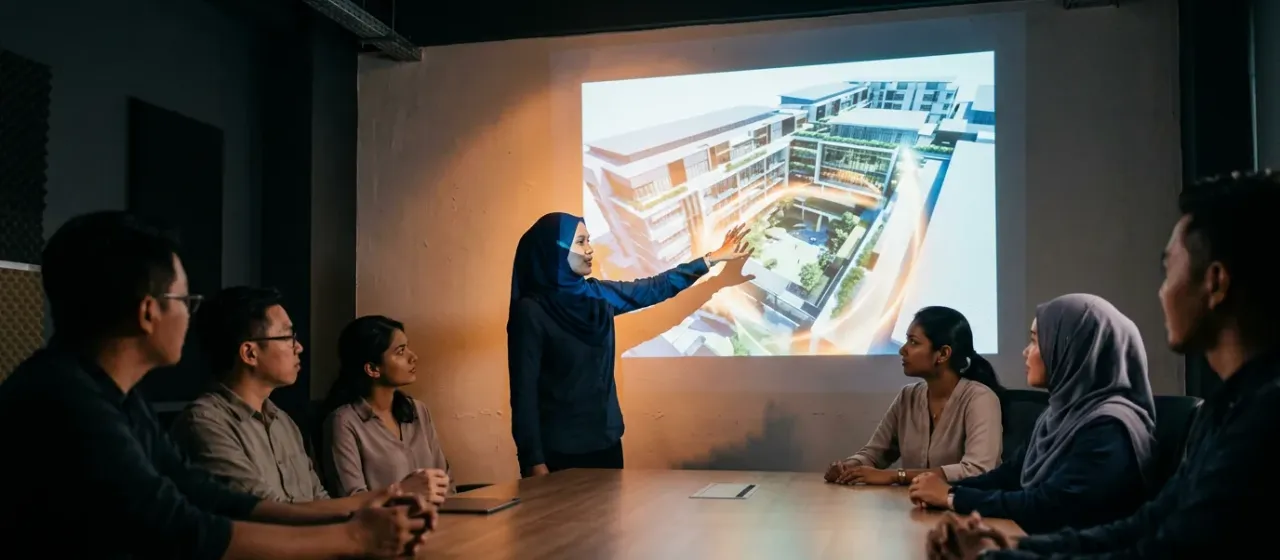
How does the Touchless Gesture Projection Display work?
- Aim the projector or screen at the wall.
- Place the sensor so that it sees the presenter.
- The presenter stands in front of the wall.
- Pointing and hand gestures move and enlarge the picture.
- Colleagues watch the changes on the wall.
What comes with the Touchless Gesture Projection Display?
- Gesture sensor
- Display control software
What space and power does the Touchless Gesture Projection Display need?
| Play area | Standing space for the presenter in front of the wall, sized to your room |
|---|---|
| Mounting height | Standard indoor ceiling |
| Power | A standard power point |
| Network | Content is supplied by you; no internet needed to run it |
Touchless Gesture Projection Display specifications
| Picture resolution | Regular 1920 × 1080 (HD) |
|---|---|
| Output device | LEDs, projectors or LCD screens |
| Custom content | Supply your own images or video |
Where is the Touchless Gesture Projection Display used?
Shipping and installation
We ship worldwide from Malaysia. Warranty terms and installation support are confirmed in your quote.
Touchless Gesture Projection Display: questions buyers ask
Does the Touchless Gesture Projection Display need a touch screen?
No. The Touchless Gesture Projection Display reads hand movement in the air, so a plain projected wall is enough. The presenter never touches the surface.
What resolution does the Touchless Gesture Projection Display support?
The Touchless Gesture Projection Display supports regular 1920 x 1080 picture resolution. It can output to LEDs, projectors or LCD screens. Choose the display that suits your room, and we confirm the connection in your quote.
What can I show on the Touchless Gesture Projection Display?
You can show your own photos, plans or product images on the Touchless Gesture Projection Display, and enlarge or move them by gesture.
Is the Touchless Gesture Projection Display suitable for a meeting room?
Yes. The Touchless Gesture Projection Display suits meeting rooms because the presenter controls pictures from a distance. Keep the lighting moderate so the projected wall remains readable.